
The WYSIWYG HTML editor that makes websites simple again.
Click on the page and type, drop in images, tables and ready-made sections, and manage your whole site in one window. Switch to the code any time, check every page at phone size, then publish by FTP or SFTP. Your site stays plain, portable HTML.
- One-time license
- No coding needed
- Works offline

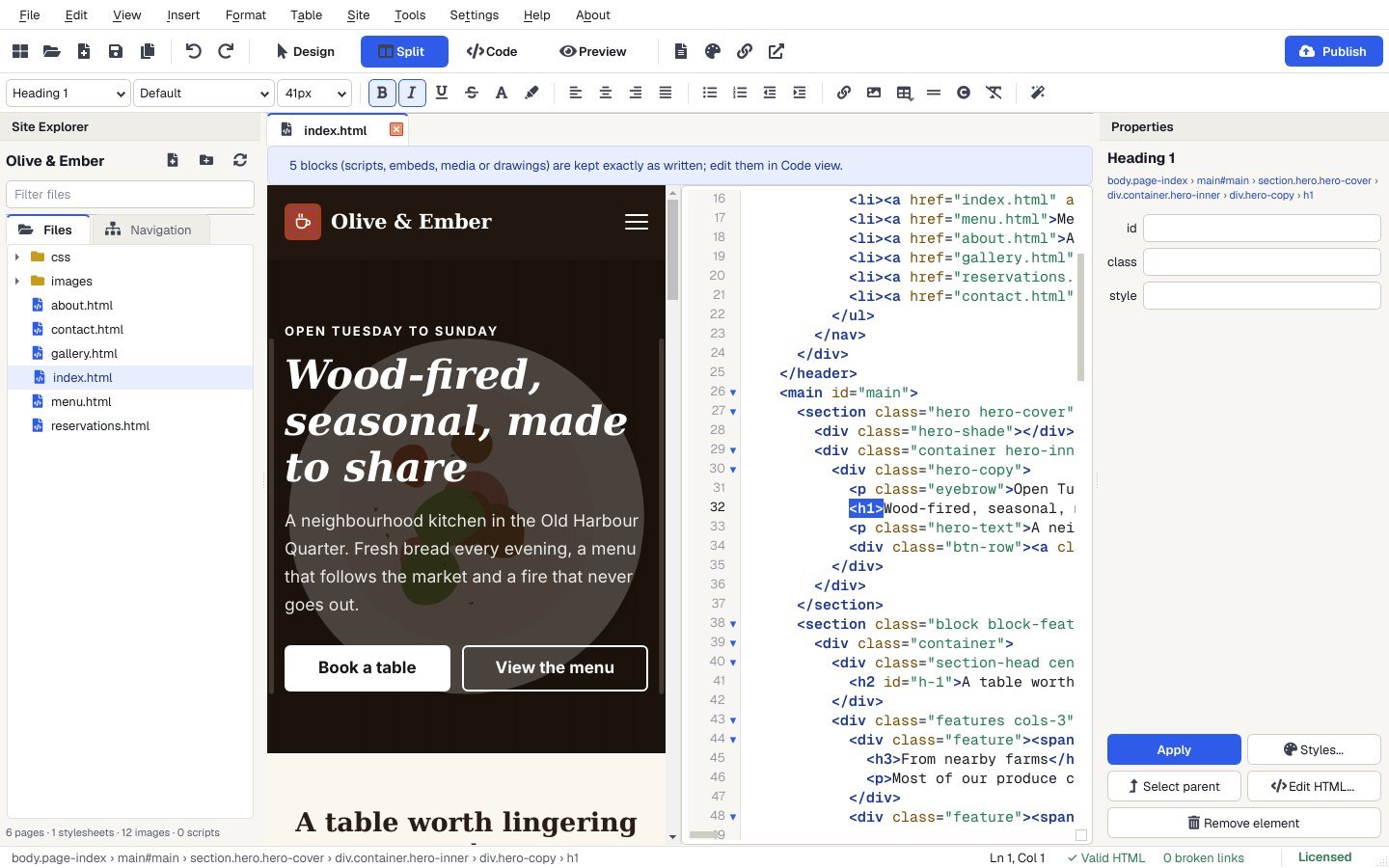

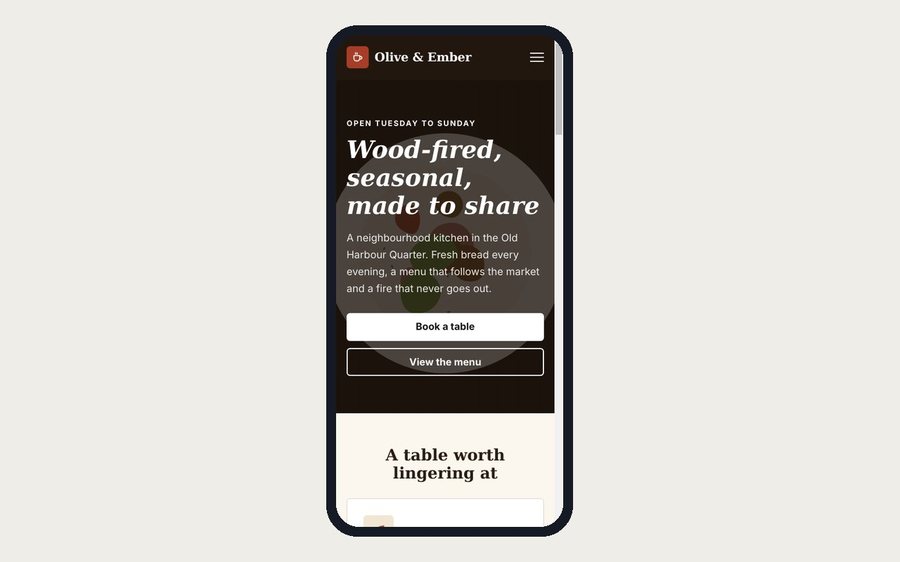
30 website templates, ready to make your own.
Original, complete designs with responsive layouts and mobile-friendly menus. Pick one, change the words and pictures, and publish.
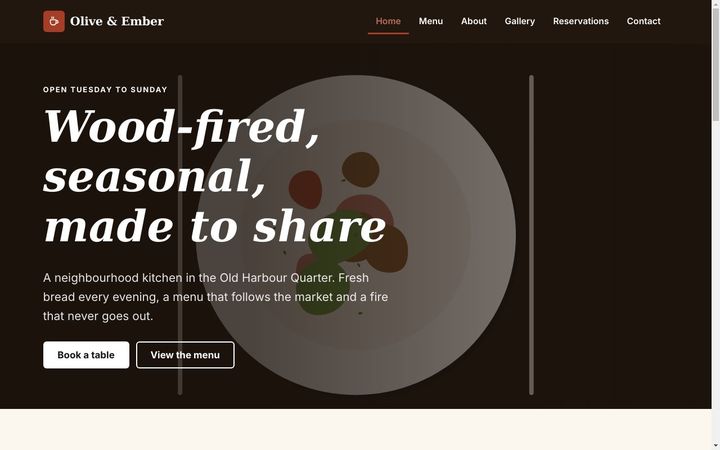
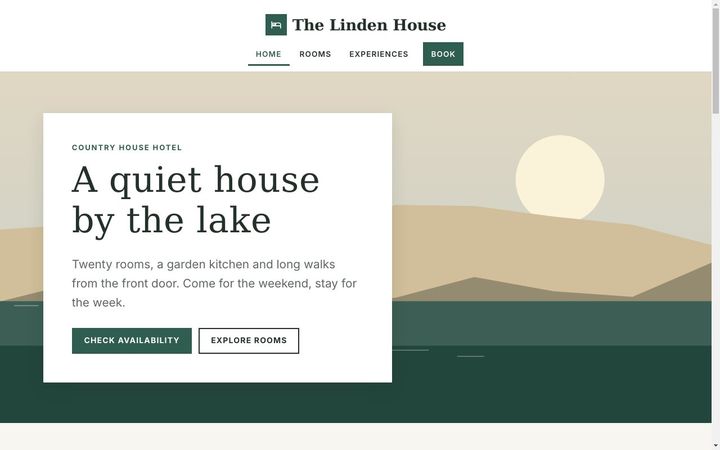
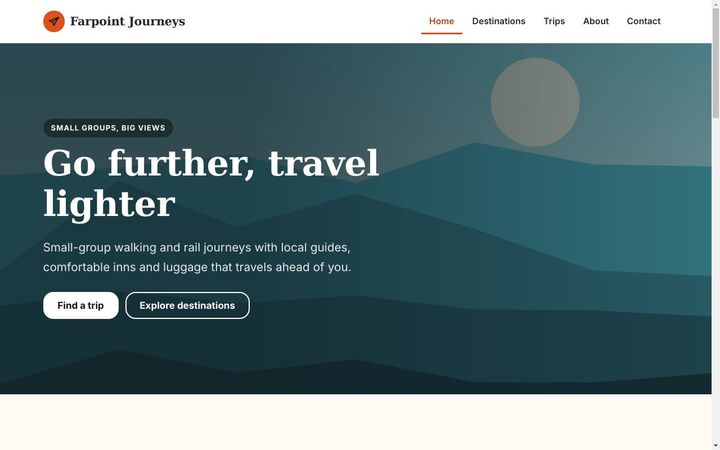
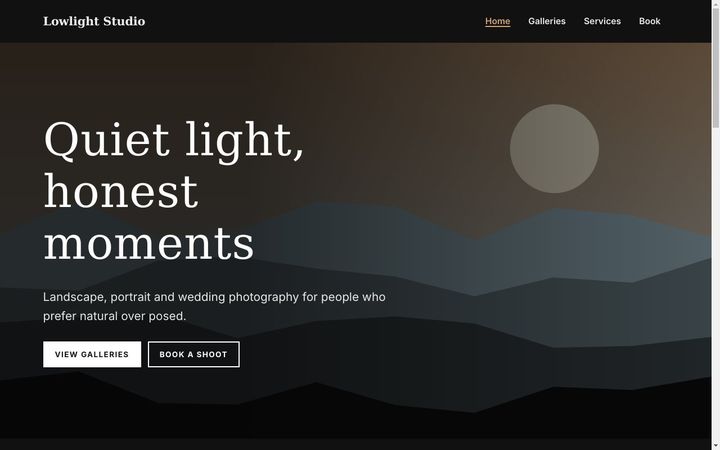
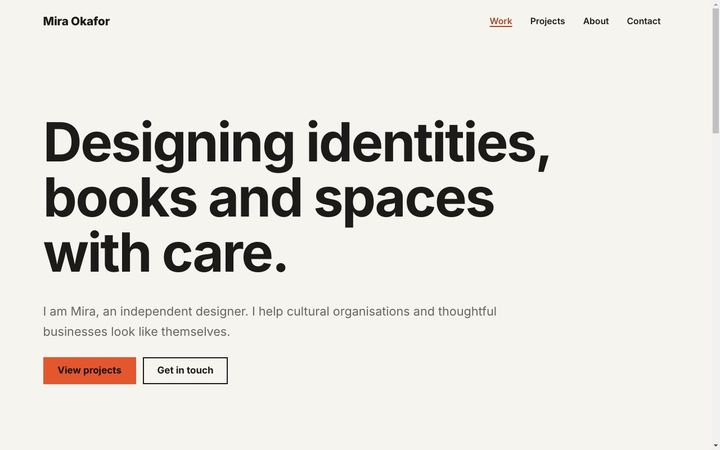

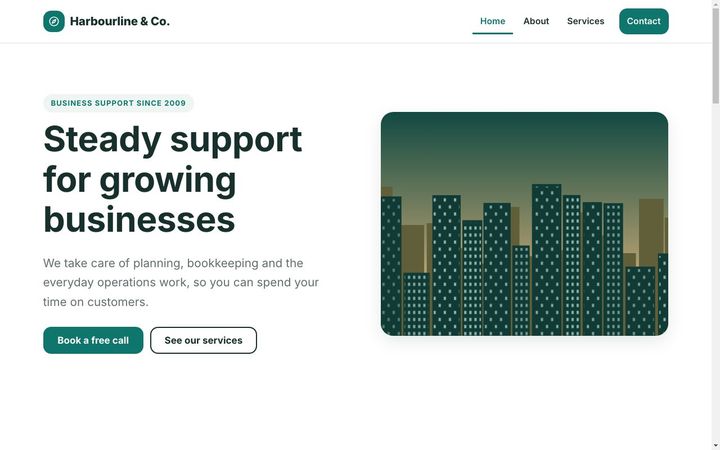
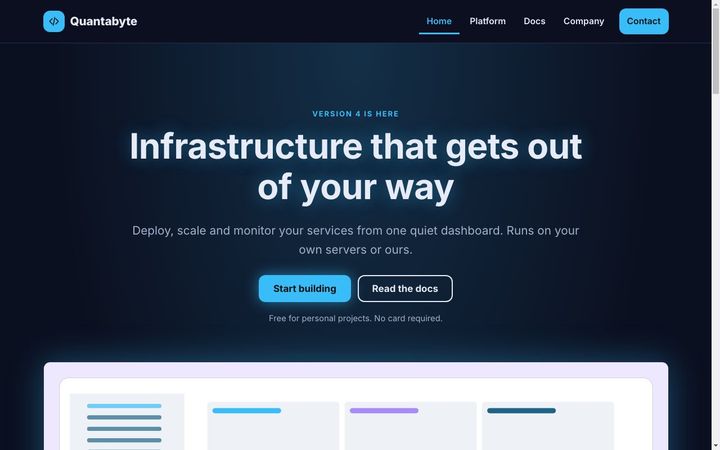

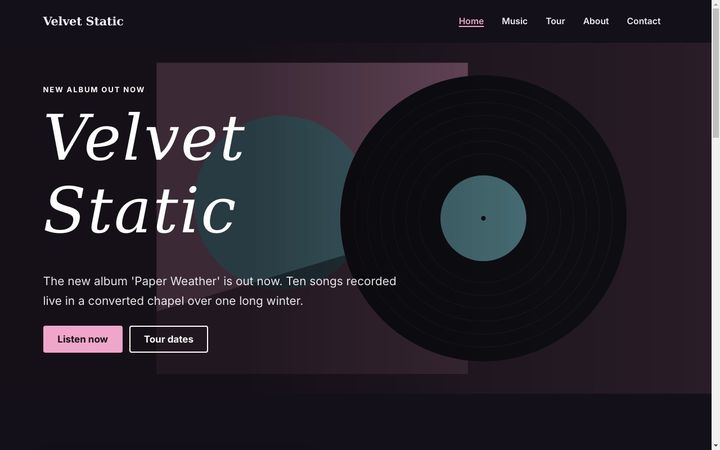

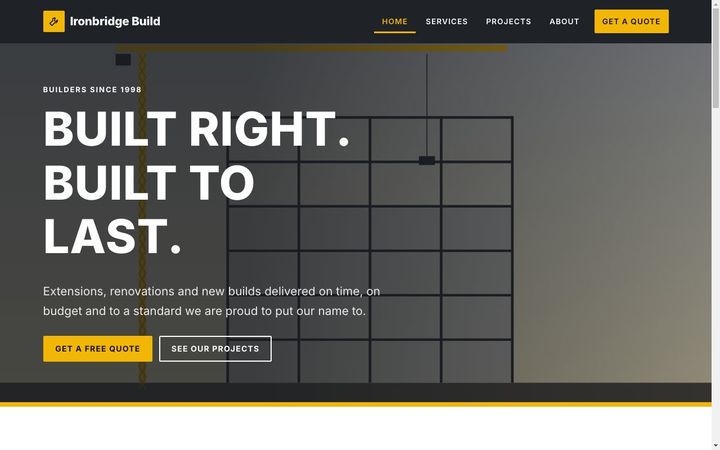
Plus Corporate, Startup, Resume, Blog, Online Store front-end, Real Estate, Nonprofit, Education, Magazine, Coming Soon and more. Every template is installed with Apollo Editor and works offline.
A visual website editor that writes clean, modern HTML.
Building a website feels like writing a document, with a proper code editor beside it and nothing hidden in a special project format.
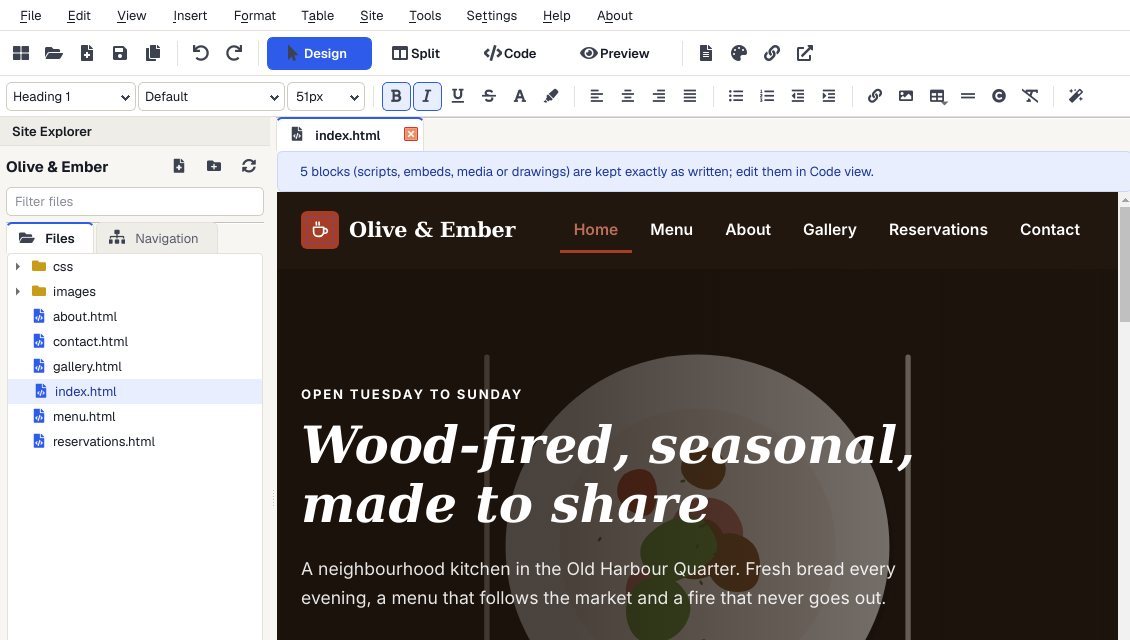
Click on the page and type
Edit the real, rendered page with a familiar word-processor toolbar, then see the HTML beside it whenever you like.
- Visual editing: fonts, colours, lists, headings, buttons, forms and sections, with undo for everything.
- Design, Split, Code and Preview: a full code editor with syntax highlighting, autocomplete and HTML and CSS validation.
- Tables: insert or draw a table, merge and split cells, and import data.
- CSS Style Designer: spacing, borders, Flexbox, Grid and phone breakpoints without memorising CSS.
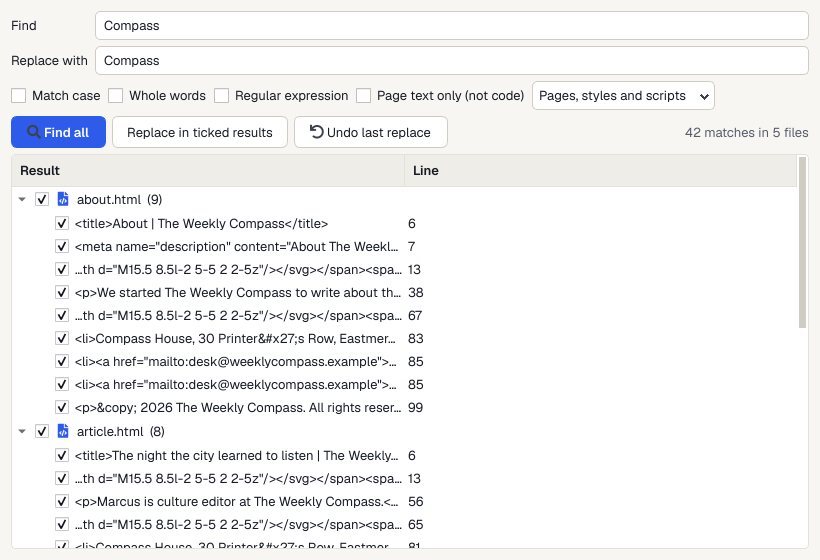
Manage your whole website in one window
The Site Explorer keeps every page, stylesheet and image together, and keeps your links working as the site grows.
- Link updates: rename or move a page and Apollo Editor offers to update every link to it.
- Broken link checker, navigation tree, sitemap builder, shared headers and footers.
- Find and replace across every page at once.
- Page Properties: title, meta description, social sharing tags, favicon and canonical URL.
Preview it, publish it, keep it safe
See every page as visitors will, then put it online with the web host you already use.
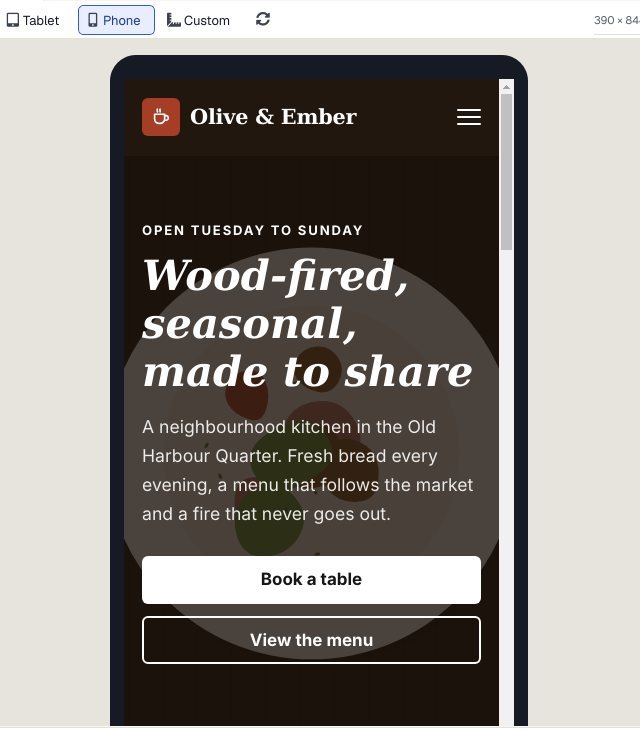
- Desktop, tablet and phone previews, or any custom size, with links you can follow.
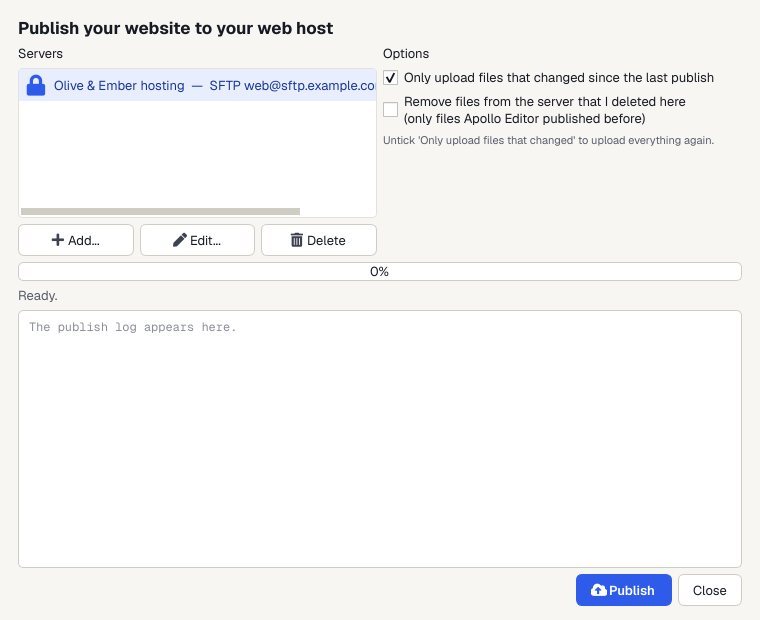
- Publish by FTP, FTPS or SFTP: the whole site or only the files that changed, with a log of every transfer.
- Your code, kept safe: it never silently removes code it doesn't recognise, and pages too complex to edit visually keep their original source.
- Autosave and crash recovery, spellchecking and optional HTML tidy-up.
Everything included, in one license
- Visual WYSIWYG editing
- Design, Split, Code and Preview views
- Code editor with autocomplete
- HTML and CSS validation
- 30 responsive templates
- 20 drag-and-drop sections
- Save your own templates
- Point-and-click tables
- Image properties and alt text
- Hyperlink editor
- CSS Style Designer
- Site Explorer
- Automatic link updates
- Broken link checker
- Site-wide find and replace
- Sitemap builder
- SEO and social tags
- Phone and tablet previews
- FTP, FTPS and SFTP publishing
- Publish to a folder or ZIP
- Autosave and crash recovery
How to build and publish a website in four steps.
No coding, no command line and no online account. Build the whole site on your PC, check it, then put it online with the web host you already use.
Get Apollo EditorStart your site
Pick one of the 30 templates, or open a folder with your existing website in it.
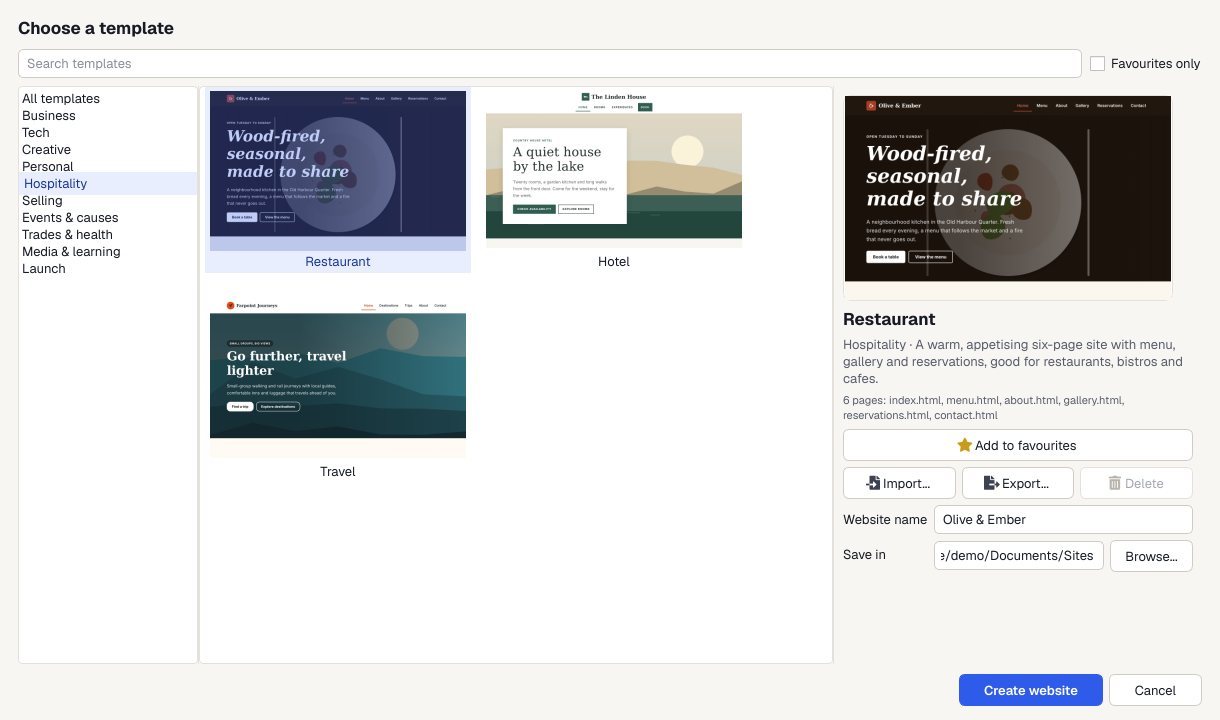
Edit visually
Type, format and drag in sections in Design view, or fine-tune the code in Split view.
Preview
Check every page at desktop, tablet and phone sizes, and fix any broken links.
Publish
Upload by FTP, FTPS or SFTP. Next time, only the files that changed go up.
For anyone who wants their own website, their own way.
The classic visual workflow, modernised
Visual editing, tables, site folders and publishing, now producing HTML5 and CSS that works on phones.
Your site, without a monthly bill
Start from a template, keep the files on your PC and host them wherever you like.
Visual speed, code control
Lay out pages visually, fine-tune in Split or Code view, and manage client sites with link checks and site-wide replace.
One license. Unlimited websites.
Build and publish as many sites as you like, with every template and feature included. No subscription. Free updates.

One-time payment · instant download
- WebsitesUnlimited
- Templates30 included
- PublishingFTP, FTPS, SFTP
- Works onWindows 10 & 11
- UpdatesFree
- Activations1 PC
Checkout
You'll go straight to your download page once payment is confirmed, and we'll email your download link and license key.
Already purchased? Get your download link again
Get our free website guides by email.
Practical guides on building, styling and publishing your own website, plus update notices for Apollo Editor.
Building websites with Apollo Editor: your questions.
More answers in the website guides, or ask us.
Do I need to know HTML to use Apollo Editor?
No. In Design view you type, format and lay out pages directly and Apollo Editor writes the HTML for you. Split and Code views are there when you want to see or change the code.
Can I edit a website I already have?
Yes. Open any folder of ordinary HTML pages, or import a website ZIP. Apollo Editor keeps your existing code and formatting where it can and does not silently remove elements it does not recognize.
How do I put my website online?
Publish straight from Apollo Editor to your web host by FTP, FTPS or SFTP. It can upload only the files that changed and shows a log of every transfer. You can also publish to a folder or export a ZIP.
Will my pages work on phones?
Yes. The 30 templates and the drag-and-drop sections are responsive, and Preview shows each page at desktop, tablet, phone or a custom size before you publish.
Can I build more than one website?
Yes. One license covers as many websites as you like, for yourself, your business or your clients.
Is it a one-time purchase?
Yes. You pay once, with free updates. There is no subscription, and your site stays plain HTML you can host anywhere.
Create the web. Visually.
Design pages like a document, manage your whole site in one place, and publish it to your own host. One license, no subscription.
Get Apollo Editor · $69.95